Parity by hand
Deadnas: rebuilding a crashed RAID-5 NAS from two disk images
Three disk images, one of them a 12-byte note saying it crashed. XOR restores the missing disk, the FAT12 boot sector reveals the block order, and a short loop reassembles a mountable volume.
- 01
Inspect
file reports disk0 as a FAT12 boot sector, disk1 as a short ASCII note and disk2 as raw data; the two big disks are exactly 512 KiB.
- 02
Hypothesize
A 3-disk array that survives one failure is RAID-5, so every block row is the XOR of its other two blocks and disk1 can be recomputed.
- 03
Test
XOR disk0 with disk2 to get a 512 KiB disk1, then look at the FAT12 structures to see which blocks hold data and which hold parity.
- 04
Solve
Walk the rows with a rotating parity position, drop the parity block of each row, concatenate, and mount the result to find the flag image.
Deadnas is a 50-point forensics warmup from TokyoWesterns/MMA CTF 2nd 2016. The task text says a three-disk NAS has failed and asks for the flag. The download is a 7z package with three files, disk0, disk1 and disk2. A first hint names RAID, a second one narrows it to RAID-5. Even without the hints, the challenge is small enough to solve by reasoning about what a three-disk array with one tolerated failure must look like.
First look at the disks
Running file disk* gives three different answers. disk0 is described as a DOS/MBR boot sector with OEM ID mkfs.fat, 4 sectors per cluster, 512 root entries, 2048 sectors in total, media descriptor 0xf8, two sectors per FAT and a 12-bit FAT. That is a tiny FAT12 volume created with mkfs.fat. disk1 is plain ASCII text, and cat disk1 prints crashed :-(. disk2 is reported only as data.
The sizes matter more than the types. ls -lh shows 512K for disk0 and disk2, but 12 bytes for disk1. The failed disk was replaced by a note, and the other two are the same length. Whatever the array layout is, the original disk1 must have been 512 KiB too.
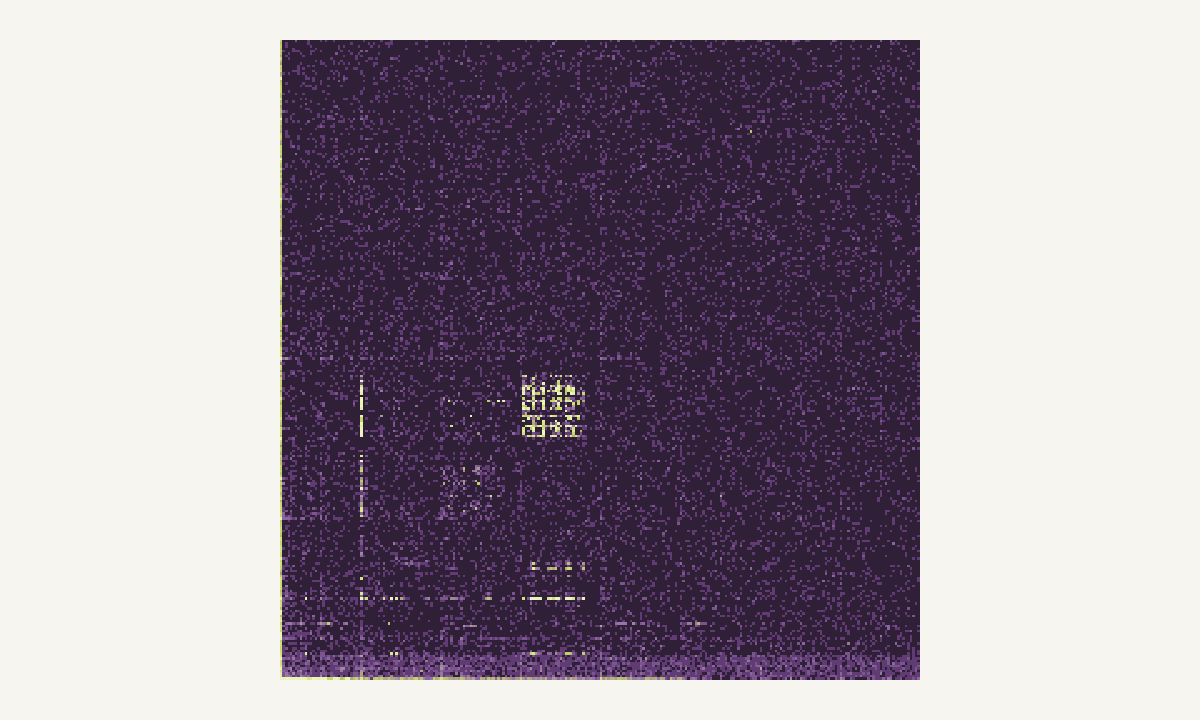
A byte view of disk0 is useful here. A FAT12 volume with little content is mostly zero bytes, with a dense strip at the start for the boot sector and the two FAT copies, and scattered patches where directory entries and file clusters live. The disk2 image looks different in the same view: it contains the same kind of structure in some places and noise in others. A single disk of a RAID-5 set is always a mixture of data blocks and parity blocks, and parity of compressible data does not look compressible. That mixture is the visual signature of striping.
Recovering the missing disk
The hint says RAID-5, but the reasoning also works without it. Of the standard levels, only the parity-based ones survive one failed disk out of three while keeping more than a third of the capacity. RAID-5 computes one parity block per stripe row as the XOR of the data blocks in that row. Because XOR is self-inverse, any one of the three blocks in a row equals the XOR of the other two. This holds block by block, so it also holds for whole disks: disk1 = disk0 ^ disk2.
A short script with pwntools’ xor helper does the job:
from pwn import *

a = open("disk0", "rb").read()
c = open("disk2", "rb").read()
open("disk1", "wb").write(xor(a, c))
The result is a 512 KiB file. At this point no information is missing, but the three images cannot simply be glued together, because the array interleaves data and parity.
Finding the block layout
Each disk is divided into blocks, and the same block index on every disk forms one row. The two questions are the block size and where the parity block sits in each row.
The block size can be guessed from the FAT12 boot sector. The sector size of a mkfs.fat volume is 512 bytes, and the FAT structures begin on a sector boundary. Trying 512 as the block size and checking that block 0 of disk0 is the boot sector (it ends with 55 AA at offset 510) confirms that row 0 has data on disk0. The 2048-sector size from the boot sector also gives a number to check against later: 2048 sectors at 512 bytes is exactly 1 MiB, which is two thirds of three 512 KiB disks.
For the parity position, a few minutes with the FAT structures is enough. The first FAT begins at sector 1 and is 2 sectors long, the second copy follows, then the root directory of 512 entries takes 32 sectors. Reading those regions row by row, the parity block turns up on a different disk in each row, moving one disk to the left every time and wrapping around. The resulting layout, with B for data blocks in logical order and BP for parity, is:
| Row | disk0 | disk1 | disk2 |
|---|---|---|---|
| 0 | B0 | B1 | BP |
| 1 | B2 | BP | B3 |
| 2 | BP | B4 | B5 |
| 3 | B6 | B7 | BP |
This is a rotating-parity layout in which data blocks fill the remaining slots left to right. The second hint, when it appeared, only confirmed it. A wrong guess here is easy to spot, because a rotation in the wrong direction produces a volume whose FAT chains point into the middle of nowhere.
Reassembling the volume
With the layout known, the reassembly is a single loop over 1024 rows. For each row it reads one 512-byte block from each disk, discards the block at the parity position, writes the other two in disk order, and moves the parity position one disk to the left:
n, k = 1024, 512
x = 2  # parity starts on the last disk
with open("disk0","rb") as f0, open("disk1","rb") as f1, \
     open("disk2","rb") as f2, open("disk_out","wb") as out:
    for _ in range(n):
        blocks = (f0.read(k), f1.read(k), f2.read(k))
        out.write(b"".join(b for i, b in enumerate(blocks) if i != x))
        x = (x - 1) % 3
The output is 1 MiB, matching the sector count in the boot sector. Mounting it with sudo mount disk_out /mnt/img works at once, which is the best possible validation: the kernel’s FAT driver checks the boot sector, the FAT chains and the directory entries, and none of them complain. The volume holds two entries, flag.jpg and a directory named which-2.21. Opening the picture shows the flag in the format TWCTF{...}.
Common wrong turns
Several detours are tempting. One is to treat the three disks as a plain concatenation or as a simple stripe set, which produces a volume where every third block is noise. Another is to forget that disk1 has to be recomputed from the other two before layout analysis, since reading its 12-byte stub as a real disk gives nothing. A third is to assume a different block size, for example 4096, which still looks plausible for the first row or two, because the FAT area is mostly zeros, and only fails once data clusters start to appear.
What transfers to other challenges
Three habits from this challenge carry over to any disk or array forensics task. First, compare file sizes before anything else: the same sizes across disks of an array, and one oddly small file, tell most of the story. Second, use a known structure as an anchor. A boot sector, a superblock or a magic number at a known offset proves which blocks are data and gives the block size. Third, use the declared geometry of the filesystem as a checksum for the reconstruction; if the numbers match, the layout is almost certainly right.
The harder sibling of this task, where two disks are lost and the parity scheme is custom, is covered in Defective RAID. For another warmup built on a container format, see the PNG task in Ninth. A visual introduction to reading raw bytes this way is in binary data visualization.
Questions readers ask
Why does XOR recover a missing RAID-5 disk?
RAID-5 stores one parity block per stripe row, computed as the XOR of the data blocks in that row. XOR is its own inverse, so any single block in a row equals the XOR of the others. With one disk gone, every missing block is recoverable by XOR-ing the surviving two.
How can the parity position be found without the second hint?
The first block of disk0 is a FAT12 boot sector ending in the 0x55AA signature. That proves row 0 has data on disk0. Checking later rows for FAT table and directory structure shows where valid data stops and pseudo-random-looking parity takes over, and the pattern repeats every three rows.
Why is the rebuilt image 1 MiB when each disk is 512 KiB?
Three disks of 512 KiB hold 1.5 MiB of raw blocks. One third of that is parity, leaving 1 MiB of data. That matches the 2048 sectors of 512 bytes declared in the FAT12 boot sector, a good sign that the reassembly is correct.
New to capture the flag? Formats, teams and a first-month plan in one place.
Read the CTF guide